Blum
BlumBuilt and scaled Spot Trading
for users new
to trading and
experienced traders, reaching
5M+ monthly active users
Blum is a crypto trading app with 95M+ users. I led the end-to-end design of Spot
Trading from concept to launch, then scaled the product by introducing Discover
and Lite and Pro modes for users with different levels of trading experience.
Context
Blum first grew its audience through a tap-to-earn mechanic built around an
upcoming airdrop. Millions of users had earned tokens before Blum’s core trading
product was ready.
Spot Trading was the next step: turning that audience into active traders by letting
them trade the tokens they received and discover new assets without leaving Blum.
Blum first grew its audience through a tap-to-earn mechanic built around an upcoming airdrop. Millions of users had earned tokens before Blum’s core trading product was ready.
Spot Trading was the next step: turning that audience into active traders by letting them trade the tokens they received and discover new assets without leaving Blum.
Problem
For the business: Blum had built a large audience through rewards, but most of that
activity still happened around earning rather than trading. Once the airdrop cycle was
over, the product needed a way to keep users active and turn that audience into real
trading activity inside Blum.
For users: Users had received tokens, but there was no clear next step. They needed
a simple way to trade what they had earned, discover new tokens, and buy or sell
assets on TON and Solana without leaving Blum for another product.
Goal
Spot Trading had to become the foundation of a full crypto trading app: keep users
inside Blum, attract trading-focused users, and create a new source of trading
volume and fee revenue.
My role
through core trading flows, testing, design system, and handoff. I shaped the UX
architecture around two different ways of trading: a simpler path for users new
to trading and a full trading workspace for experienced traders.
Benchmarking
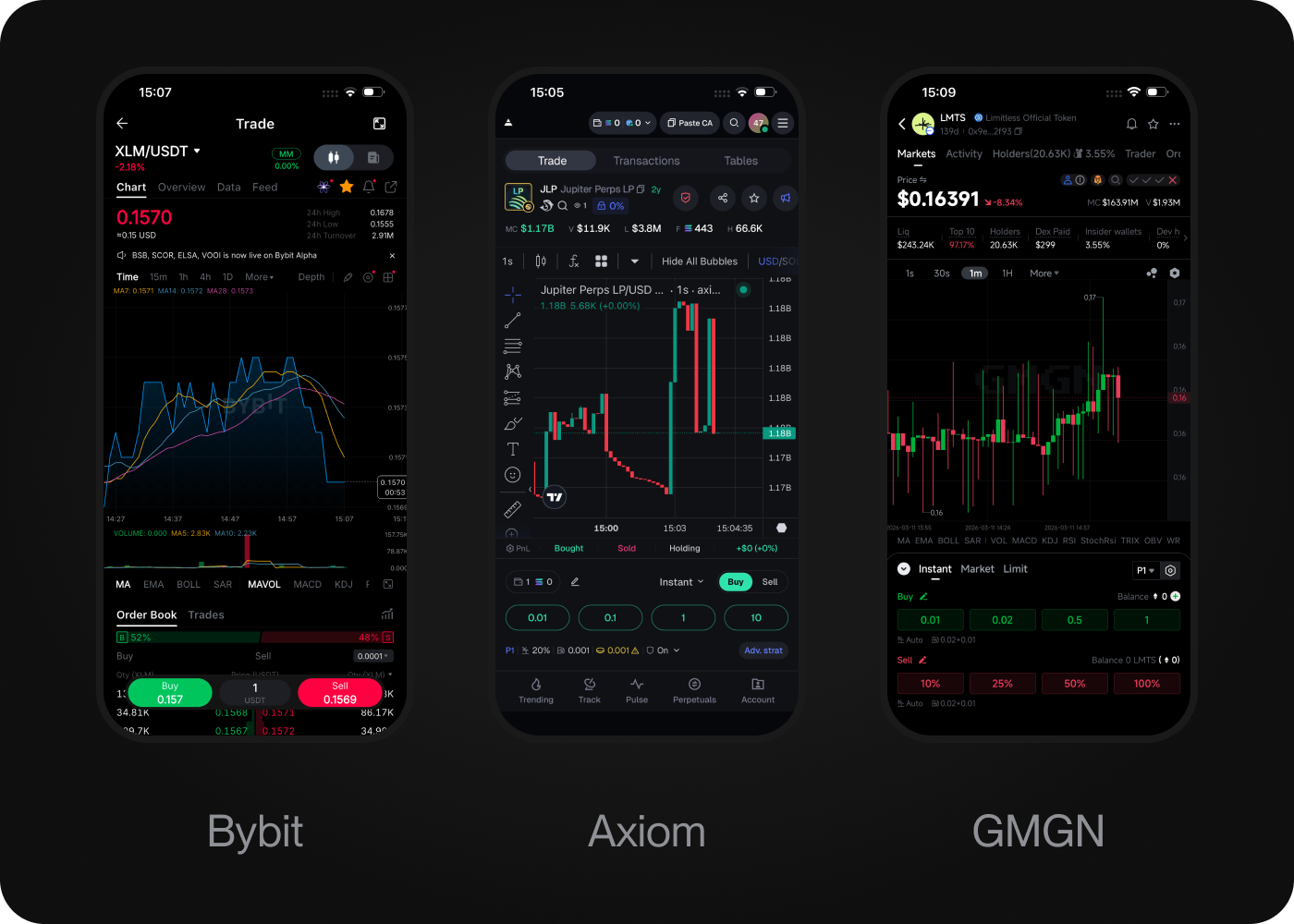
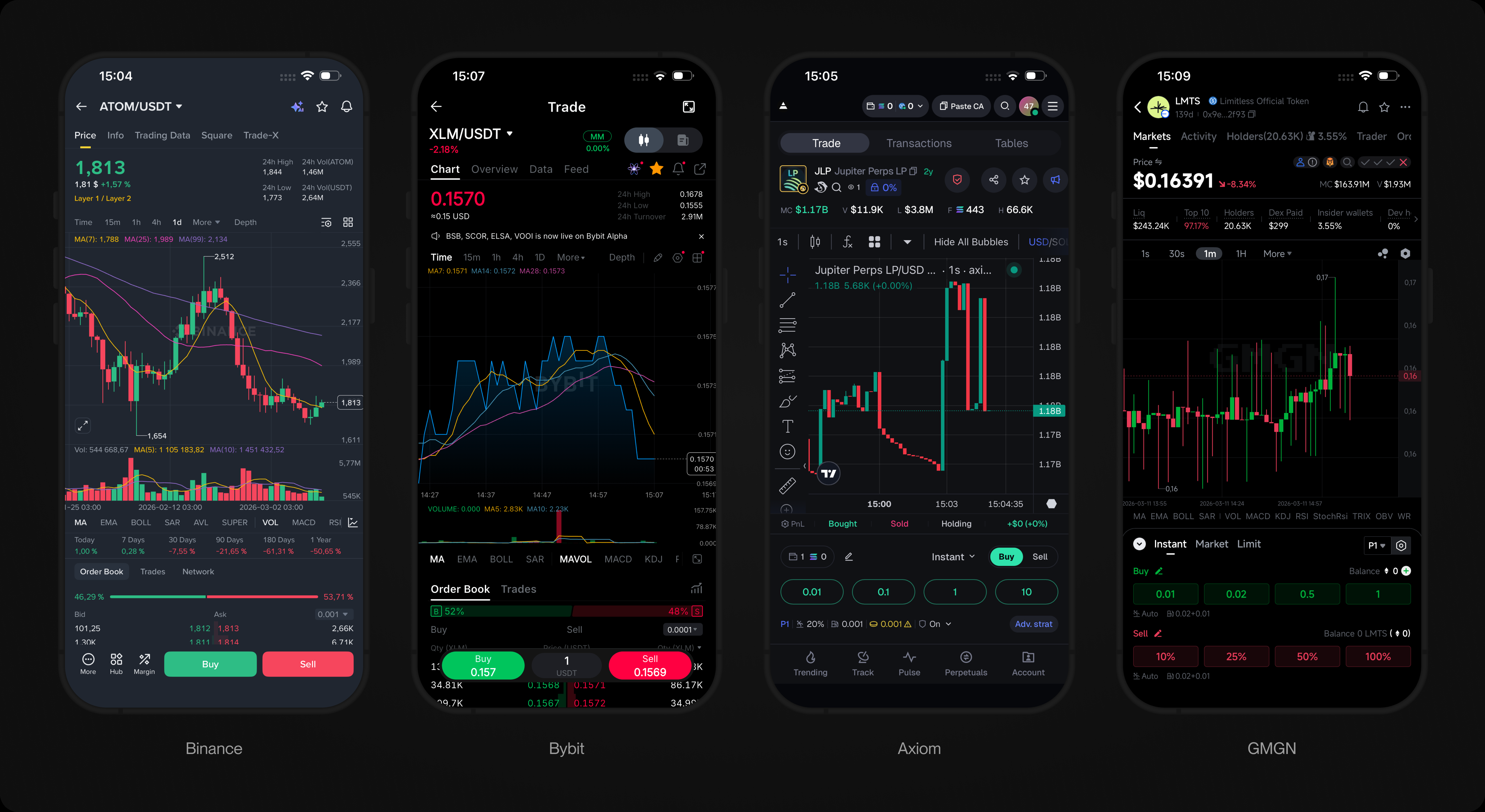
I started by comparing CEX and on-chain trading products across the full journey:
how users find a token, decide whether it is worth buying, set up an order, and
complete the trade. I looked at how each product organized token discovery, market
data, and trading controls for users new to trading and experienced traders.
Benchmarking insight
Across the products I reviewed, the pattern was consistent. Both CEX and on-chain
interfaces assumed that users already understood charts, market metrics, and order
mechanics. They worked well when users already knew what to buy, but offered little
help with choosing a token or making a first trade.
For Blum, this pointed to a clear opportunity: make the path from token discovery
to first trade easier for a broader audience, while preserving the data and control
experienced traders needed.
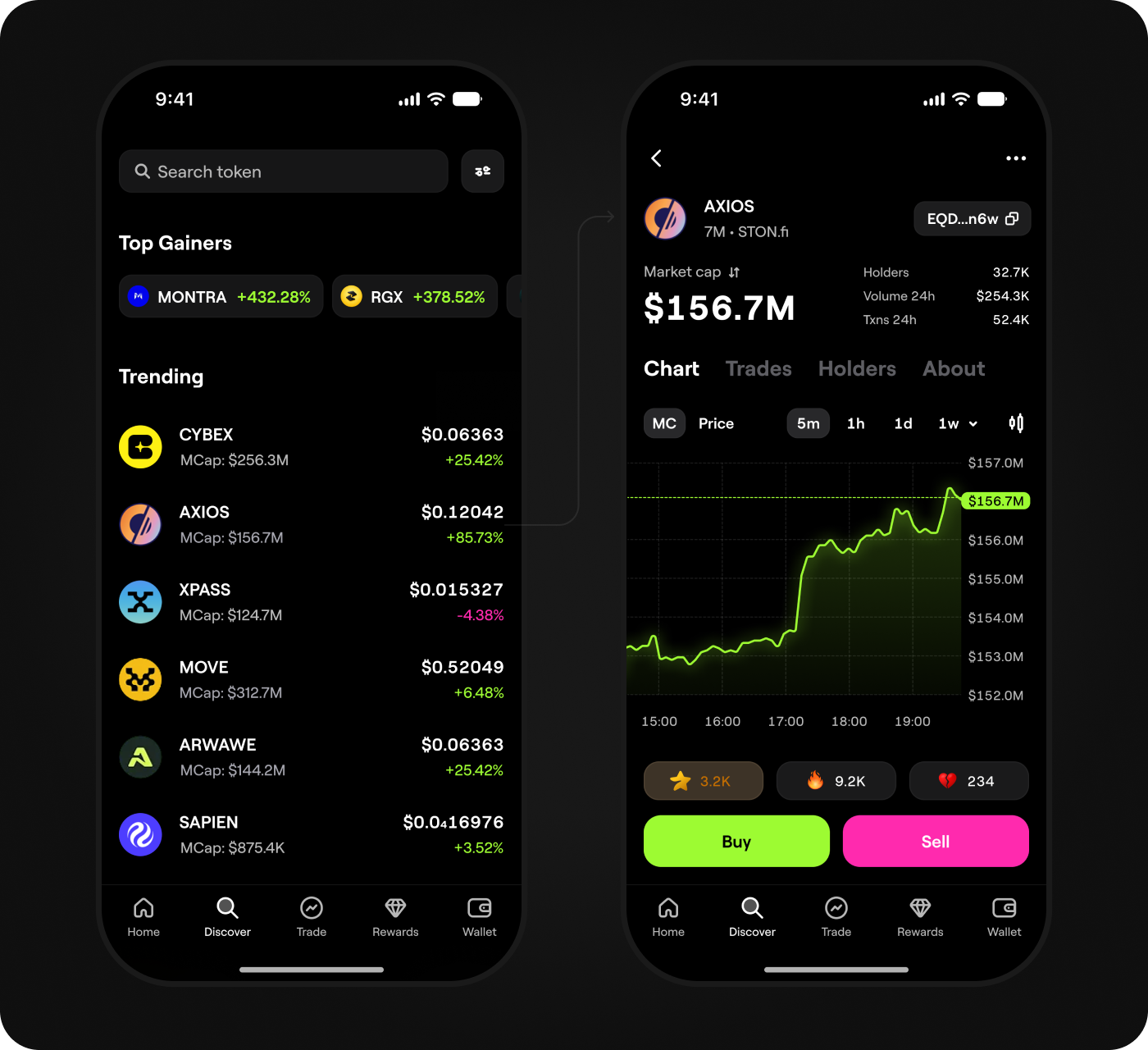
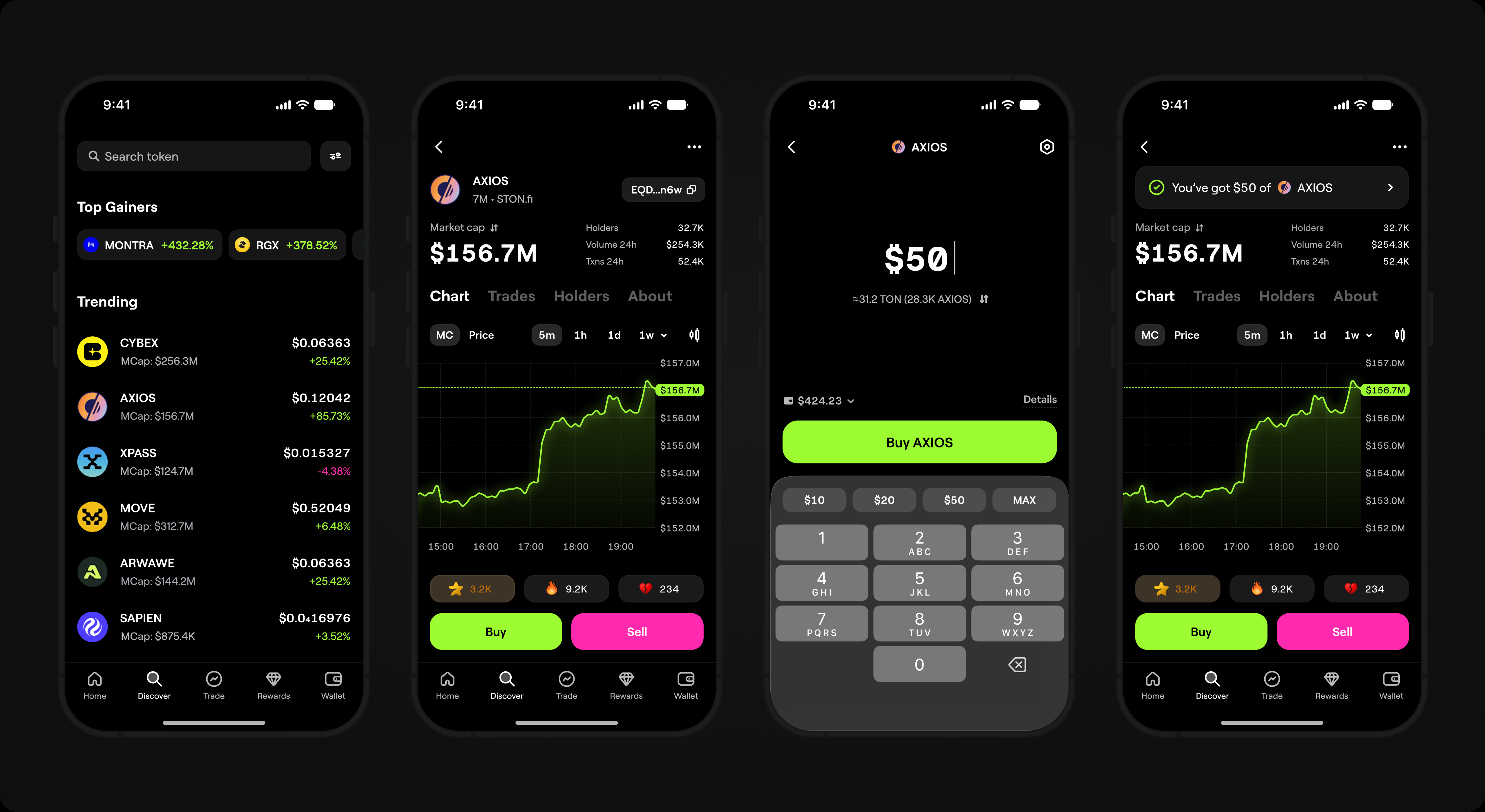
First version: Fast Launch
the core hypothesis: whether users would buy and sell tokens inside Blum. The
hypothesis was validated: users started trading, and the first version helped us
find friction points, gather feedback, and understand what to improve next.
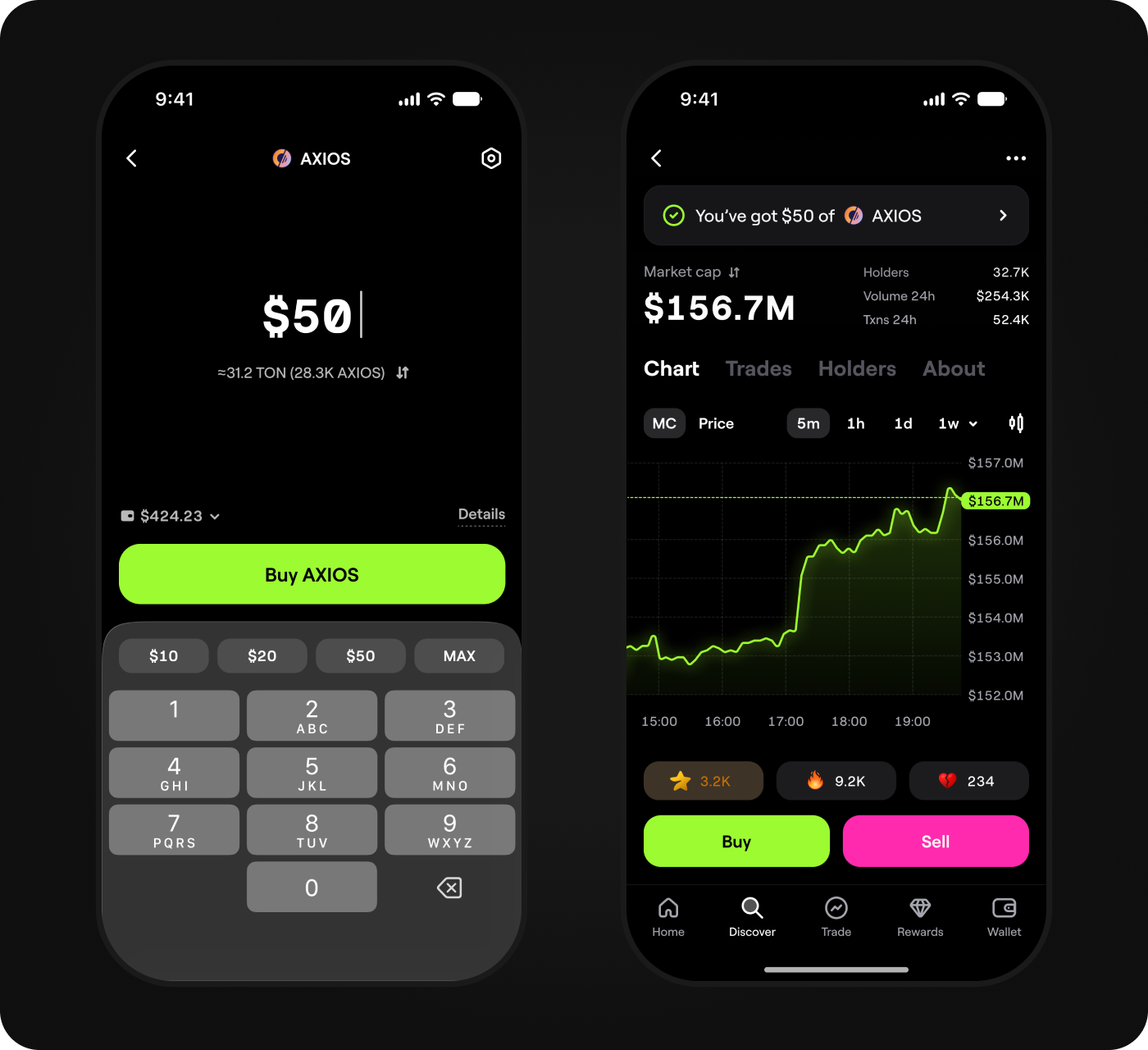
Key problem in V1
The first version had one structural problem: the trading flow was built as a single
interface with no separation by user type. Users new to trading landed on the same
screen as experienced traders and saw the same metrics, controls, and market
context. One group needed a clear path to a quick trade; the other needed a full
trading workspace.
Discovery
Once the first version exposed this split, I interviewed 8 users new to trading
and 5 experienced traders. I then compared what I heard with product metrics
to understand where each group struggled. I identified three key problems:
1. Users new to trading could not
tell what mattered
Too much information on the screen made them less confident
before making a trade.
2. Discover did not help users
decide what to buy
Tokens looked similar, and users had little guidance
on what deserved their attention.
3. Experienced traders needed
a full trading workspace
They needed key metrics, charts, an order form, fast actions,
and a clear view of open positions.
Strategy
The research made the trade-off clear: one interface could not make Spot Trading
simple for users new to trading and fast enough for experienced traders. Users new
to trading needed a clear way to discover, buy, and sell tokens. Experienced traders
needed market context, speed, and control.
I decided not to force both groups into one universal flow. Instead, I structured Spot
Trading around two modes: Lite for users new to trading and Pro for experienced
traders. That led to two hypotheses:
Hypothesis 1
If I build Discover around the ways users look for tokens, they will find
relevant tokens faster and be more likely to trade, helping Blum increase
Discover-to-trade conversion and conversion to first trade.
Hypothesis 2
If I split the trading interface into two modes, Lite for users new to trading
and Pro for experienced traders, each group will get a flow built around how
they trade, helping Blum increase 7-day retention, average trade size, and
total trading volume.
Success criteria
To measure whether the new trading structure worked, I tracked six outcomes:
⁕ Increase conversion to first trade
⁕ Increase Discover-to-trade conversion
⁕ Increase 7-day retention after first trade
⁕ Increase average order size
⁕ Increase total trading volume
⁕ Both modes are actively used
⁕ Increase conversion to first trade
⁕ Increase Discover-to-trade conversion
⁕ Increase 7-day retention after first trade
⁕ Increase average order size
⁕ Increase total trading volume
⁕ Both modes are actively used
After each mode reached at least 1,000 token page sessions and 500 executed
trades, I compared activation, retention, and trading activity across the two
experiences.
New Discover: the top
of the trading funnel
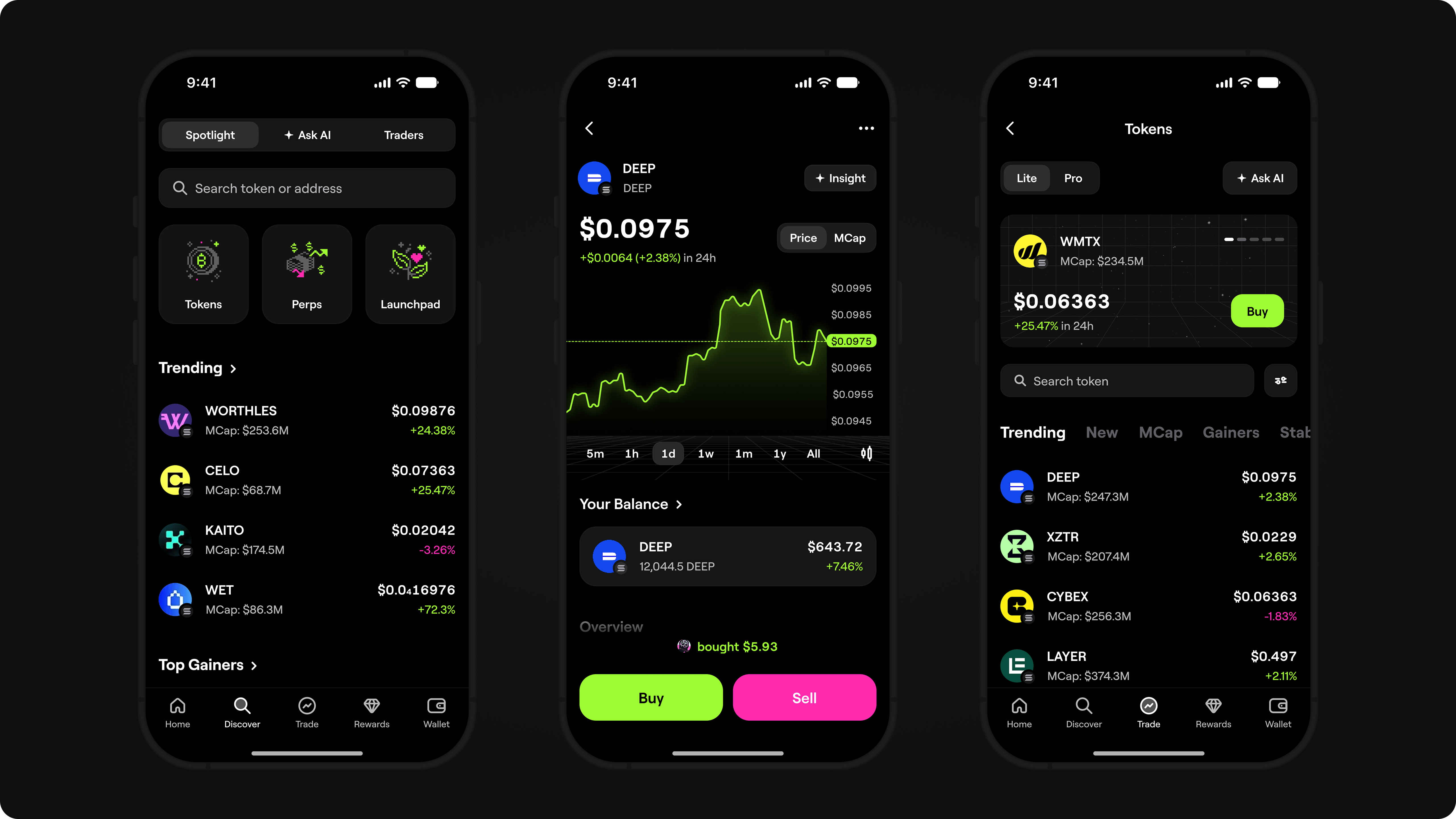
Once we understood that users needed more help deciding what to buy, I rebuilt
Discover as the first step of the trading funnel. The old version showed a list of tokens
and market data, but left users to figure out where to look and what deserved their
attention.
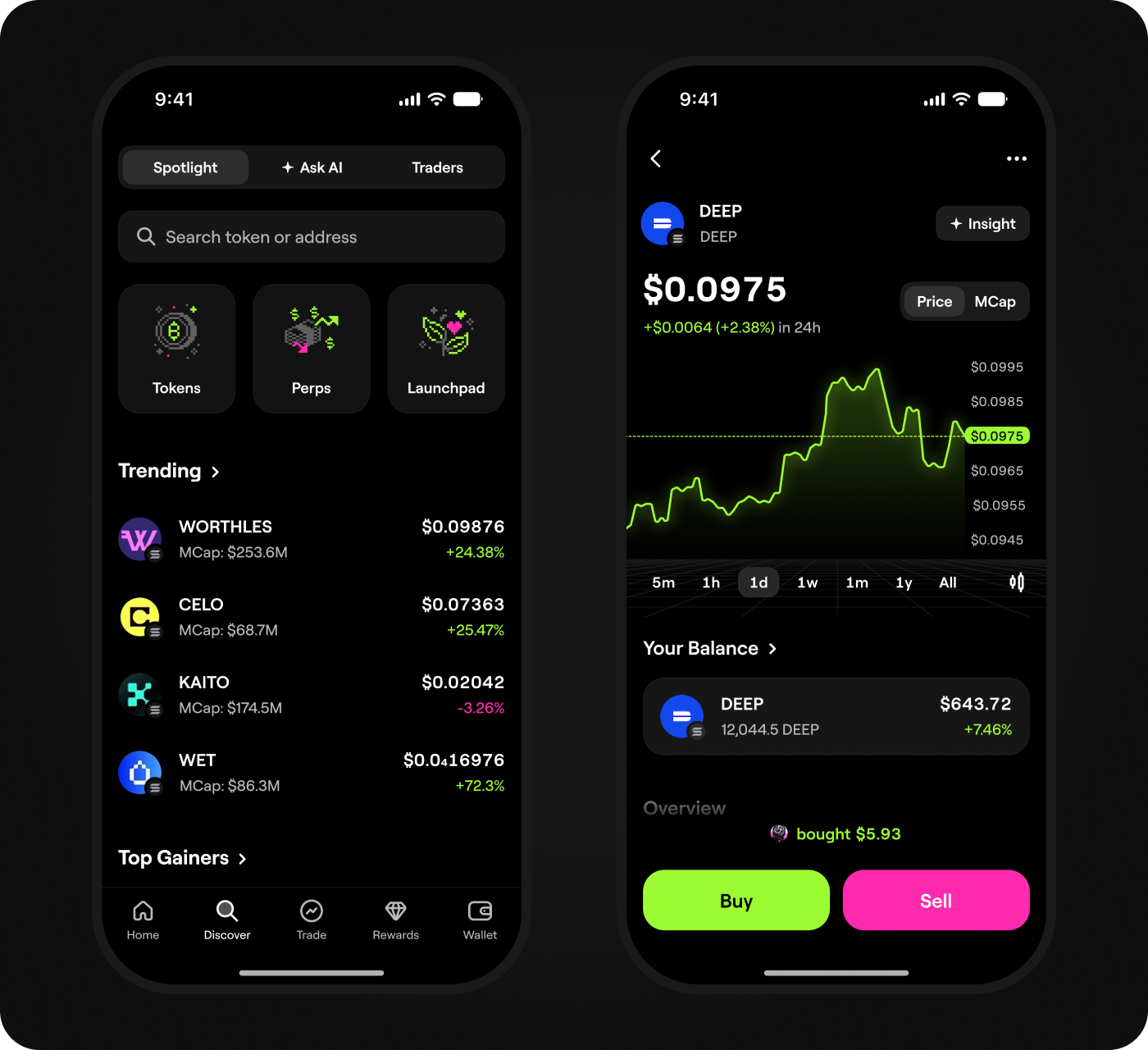
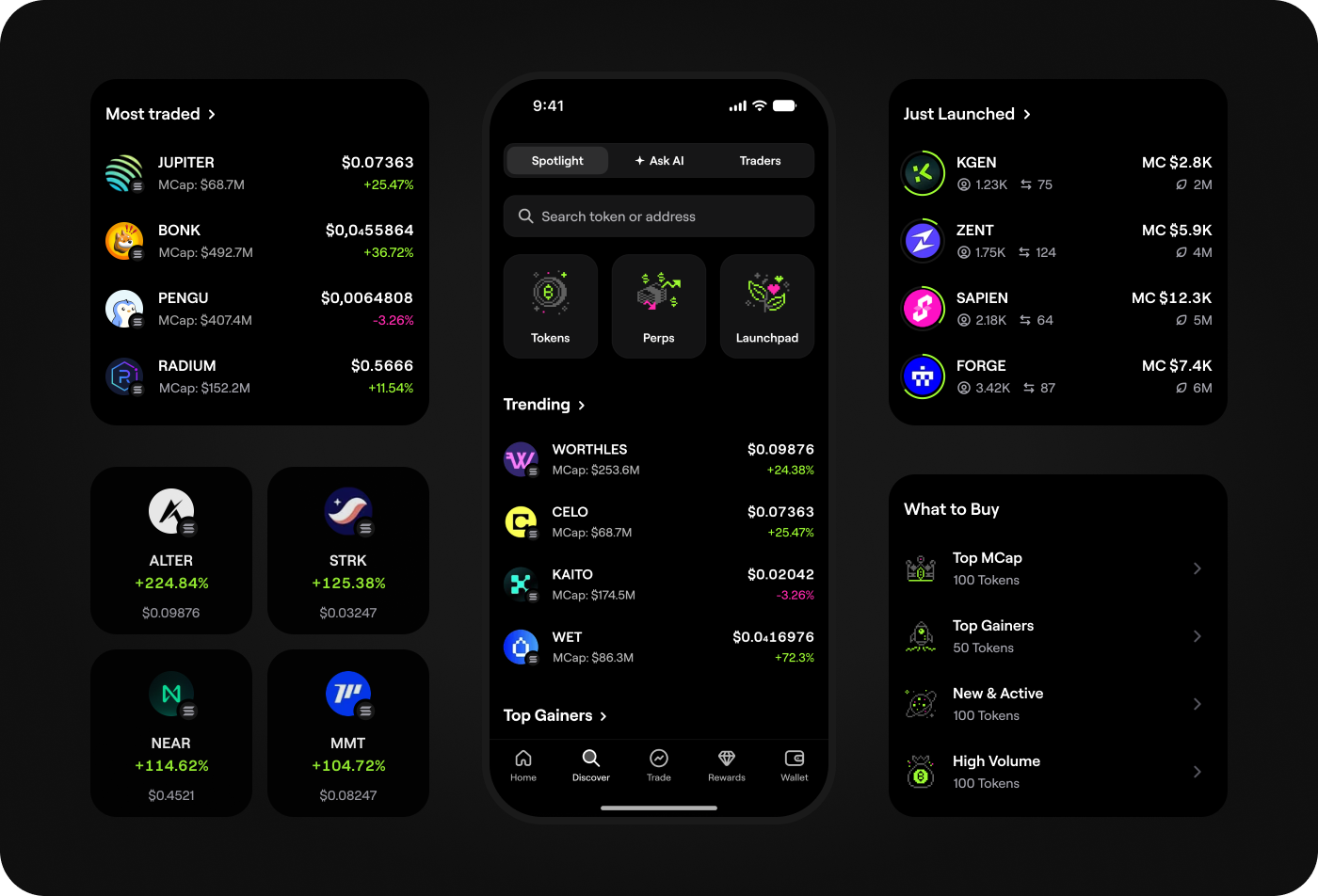
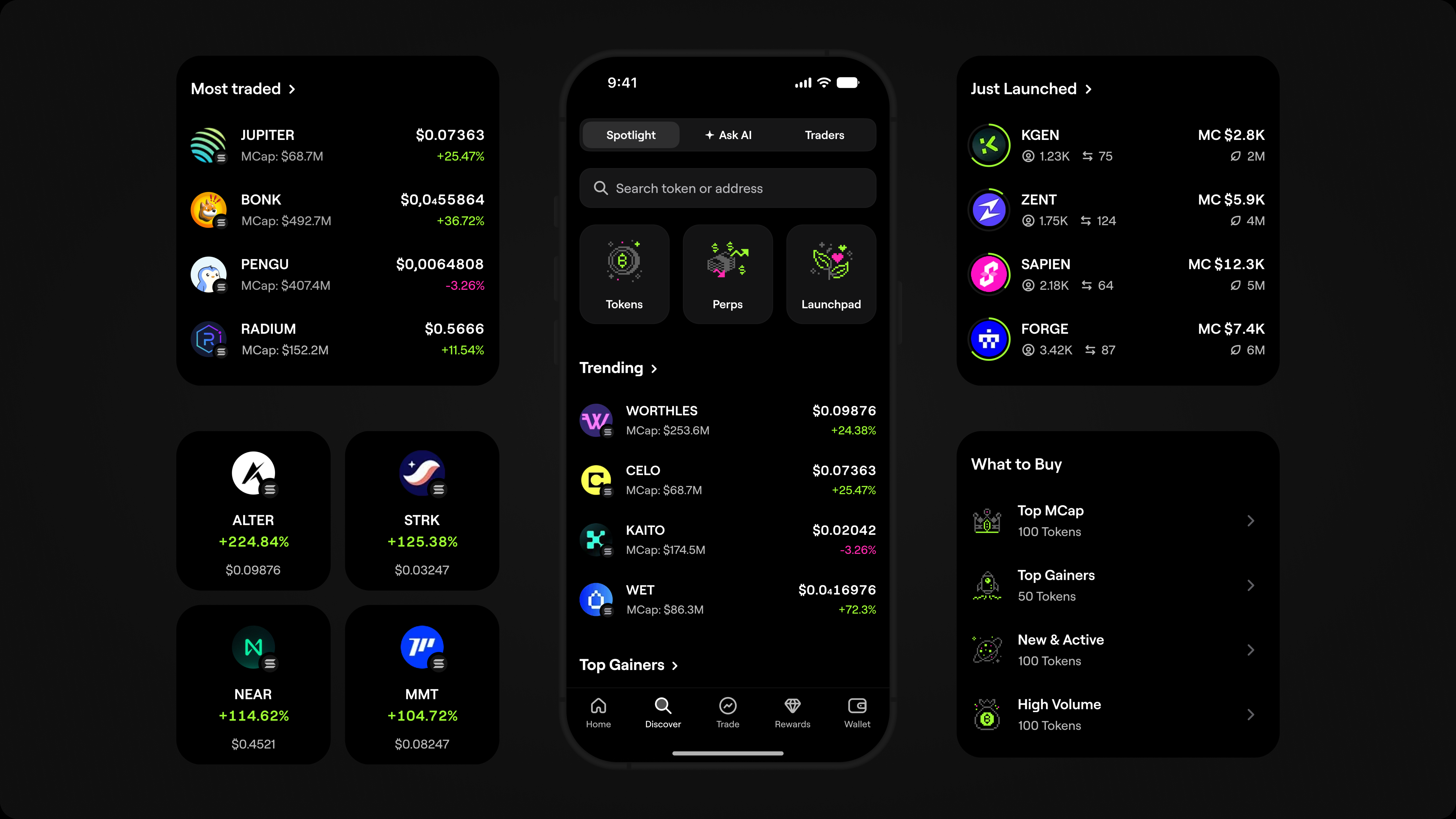
I reorganized Discover around three ways users looked for tokens: market movement,
guided search, and real trading activity. Each path led directly into the trading flow,
turning token discovery into a clear path toward a trade.
1. Spotlight
Some users opened Discover without a specific token in mind. Spotlight gave
them a starting point by surfacing trending tokens, top gainers, and notable market
movements. Instead of scanning a flat list, users could quickly see where activity was
happening and move directly into a trade.
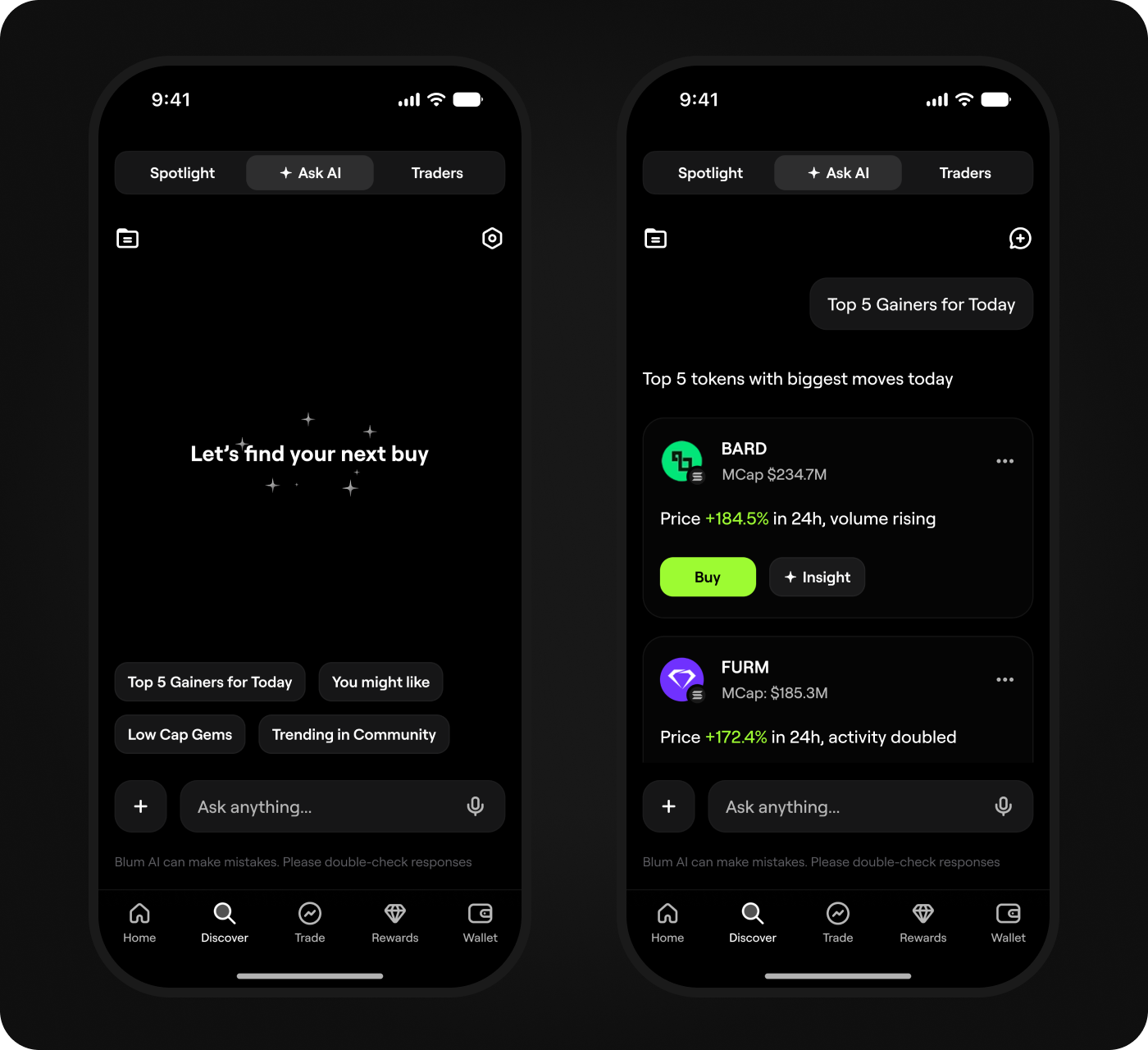
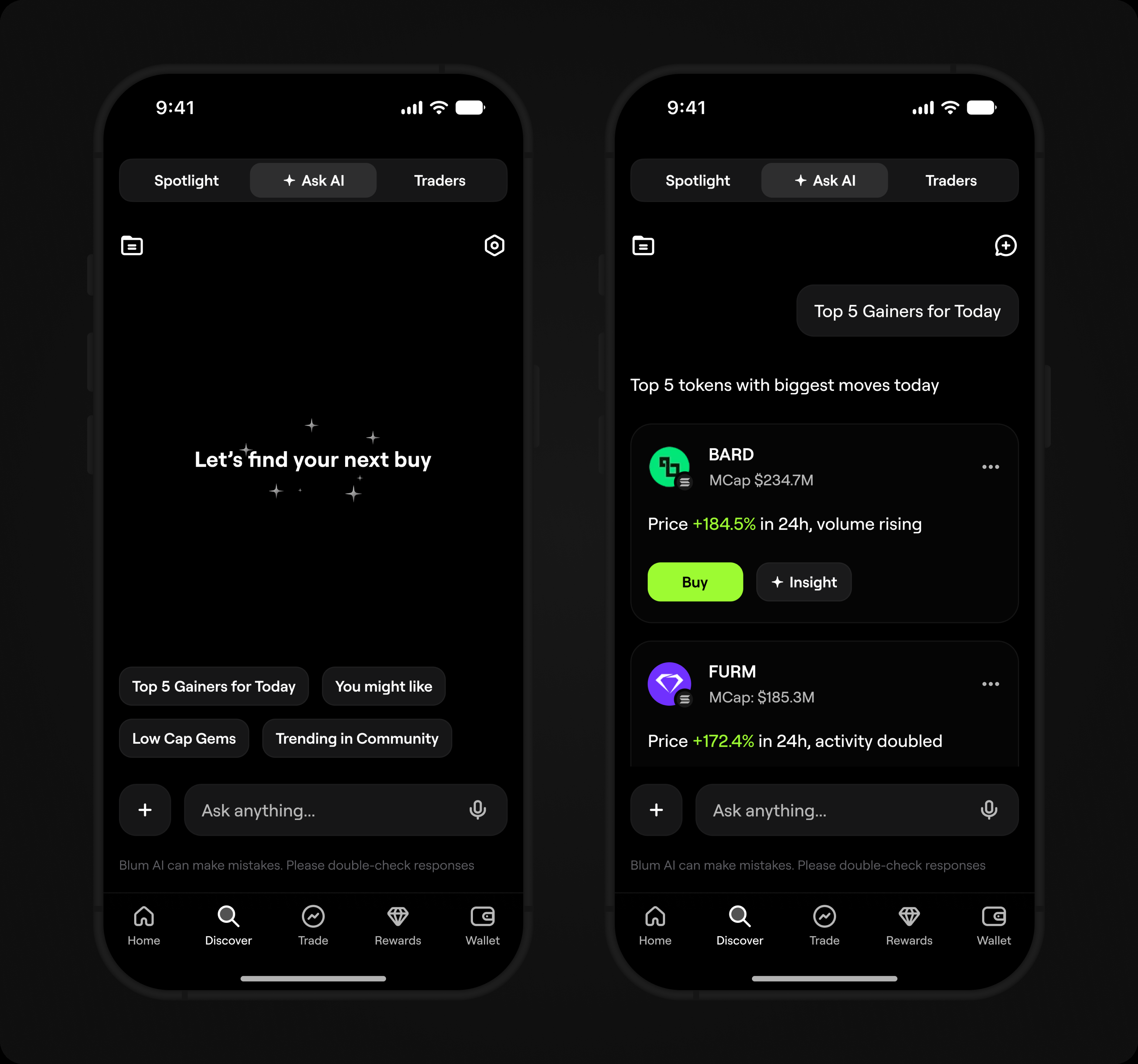
2. Ask AI
Ask AI let users explore the market in their own words
instead of browsing through token lists. It returned
structured results they could explore or trade.
Ask AI supported token discovery, not financial
recommendations. The decision to buy always stayed
with the user.
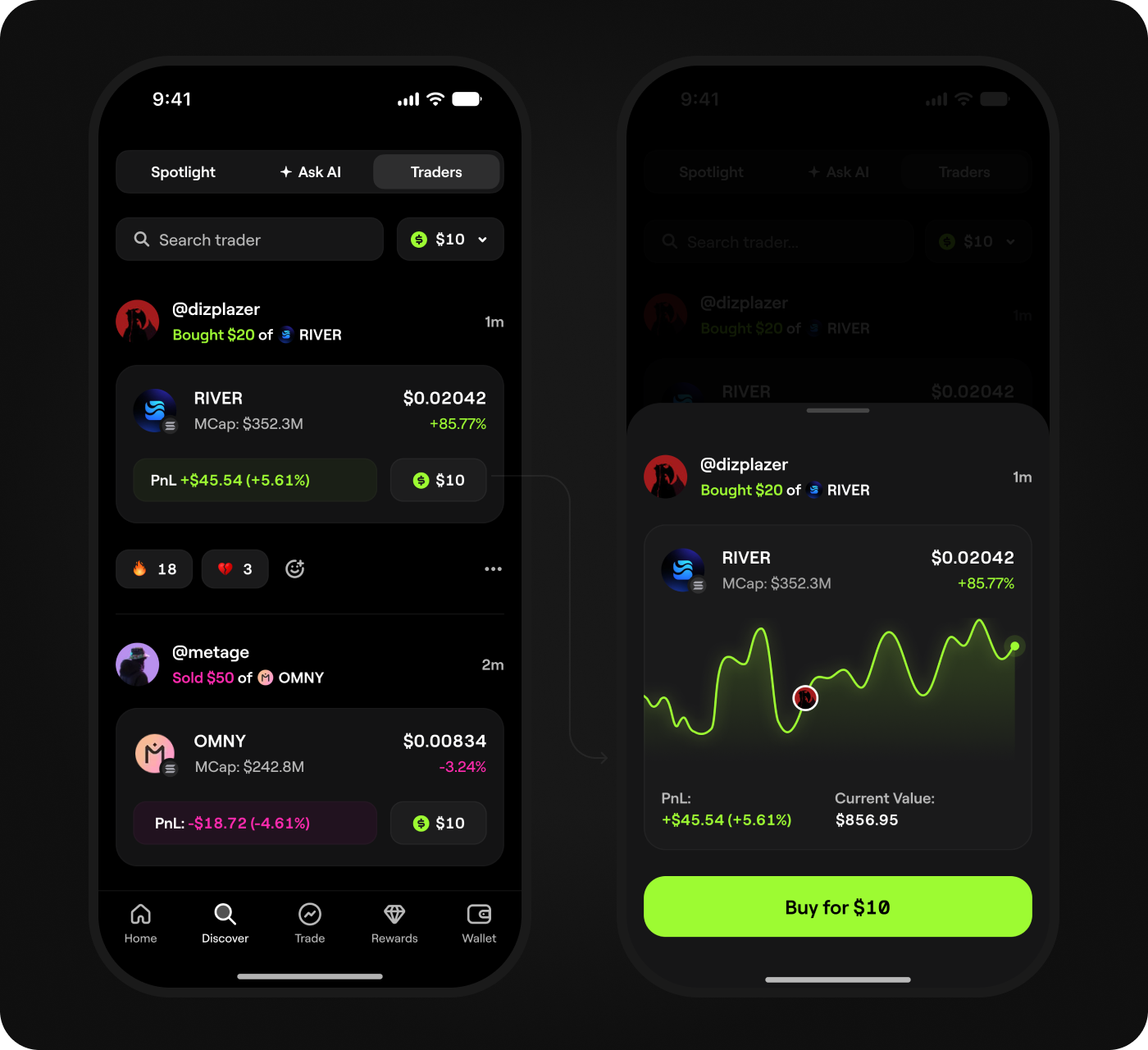
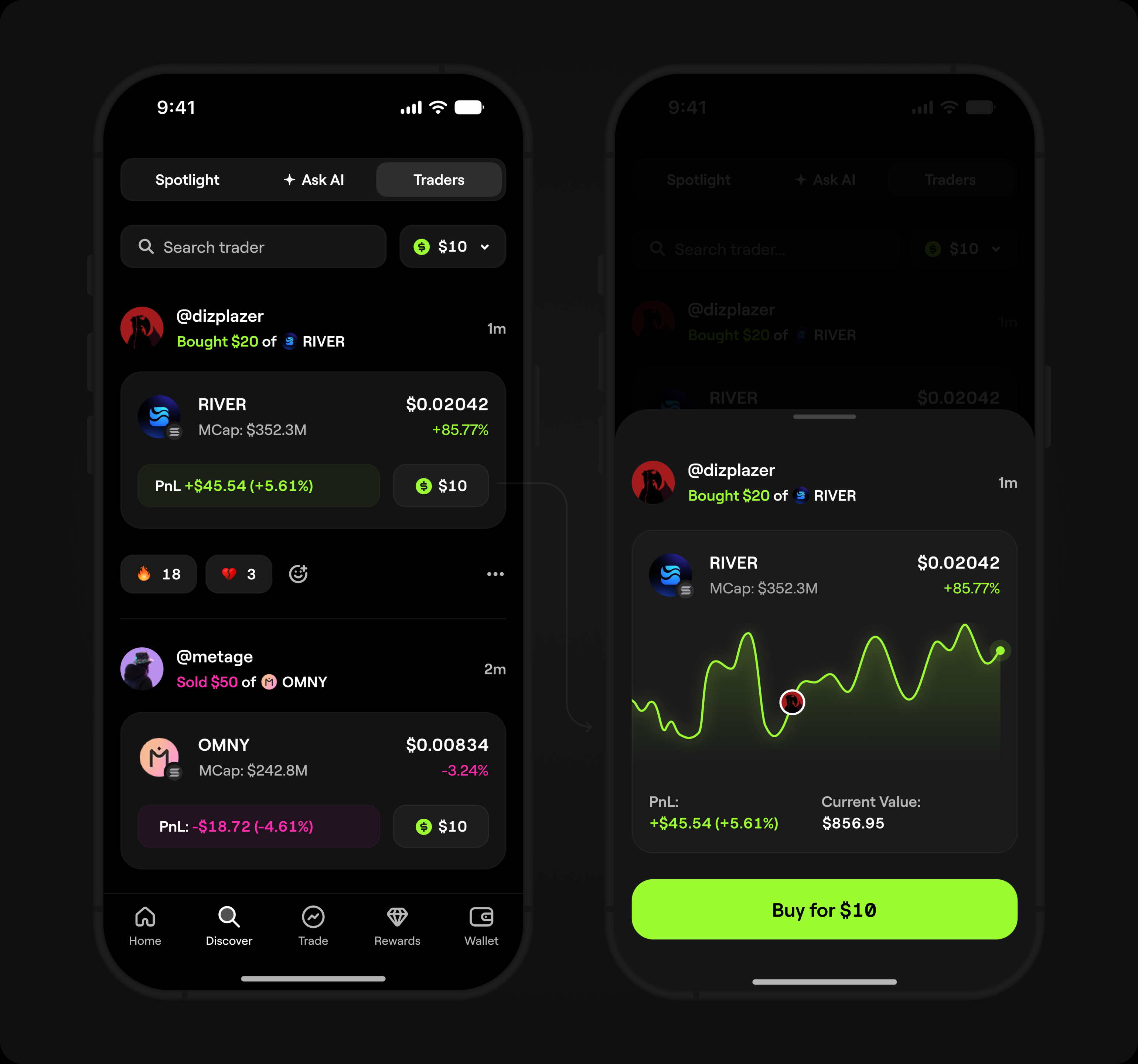
3. Copy Trade
Some users did not know what to buy and did not want
to analyze every token themselves. Copy Trade let them
follow real trades from other users and copy a trade in
one click.
The token, position size, and PnL were visible at a
glance. Users could copy a trade directly from the feed
using a preset amount and adjust it before confirming.
Lite and Pro trading modes
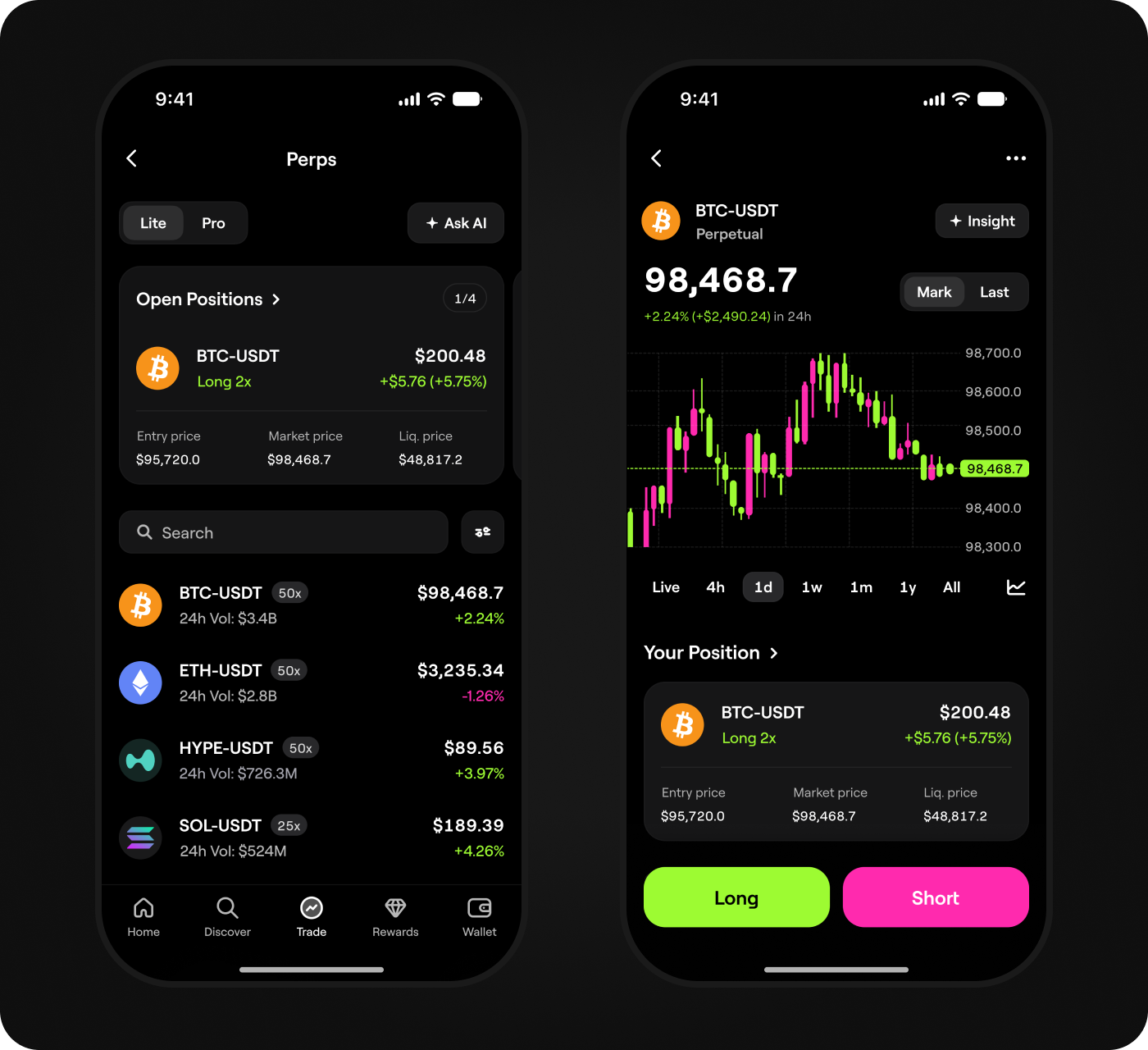
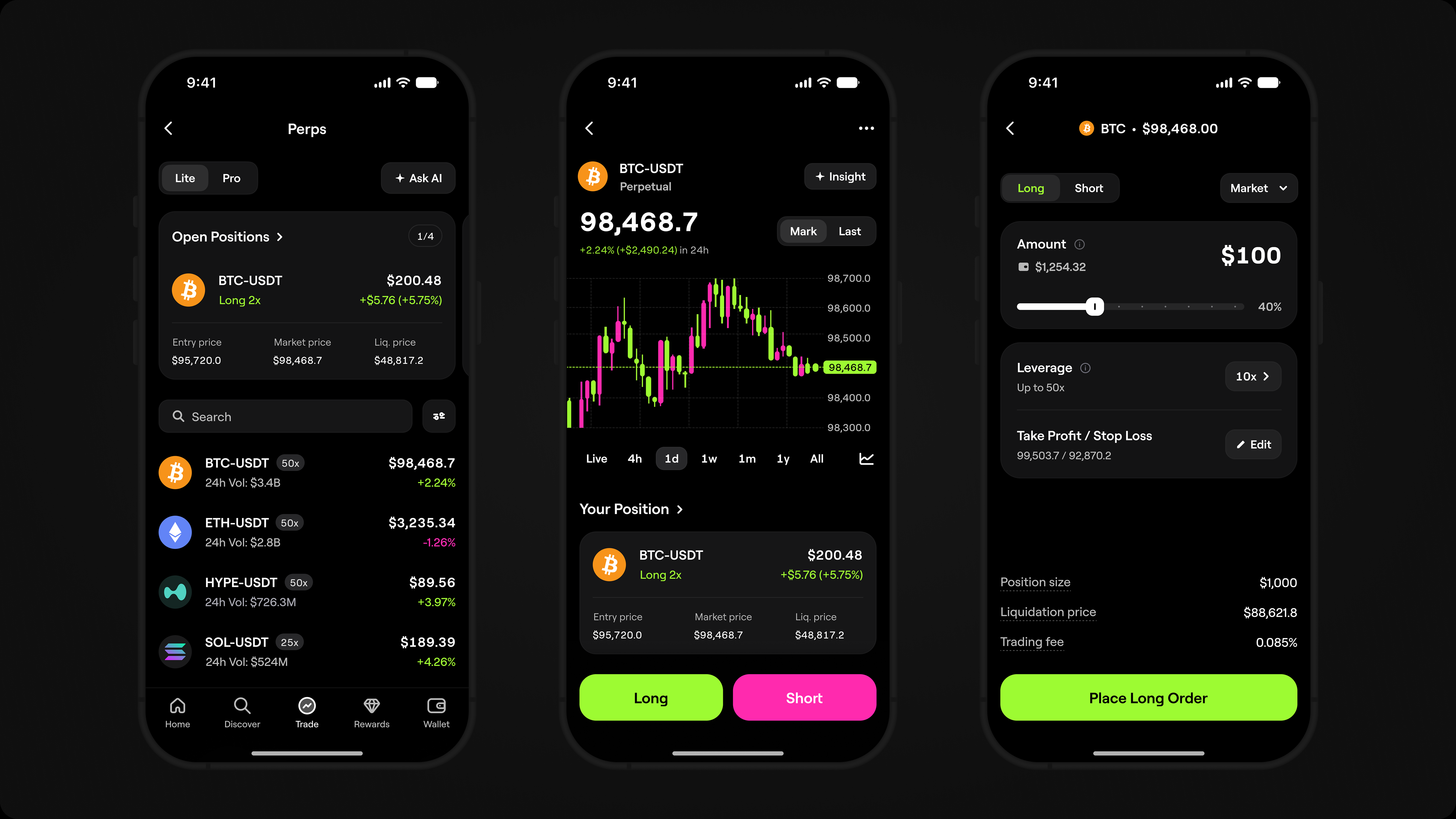
I introduced Lite and Pro as two trading modes within one product, each built around
a different way of trading. Lite simplified buying and selling for users new to trading,
while Pro gave experienced traders market context, speed, and control. The selected
mode persisted across sessions, so switching between Lite and Pro felt like changing
a preference, not moving to a different product.
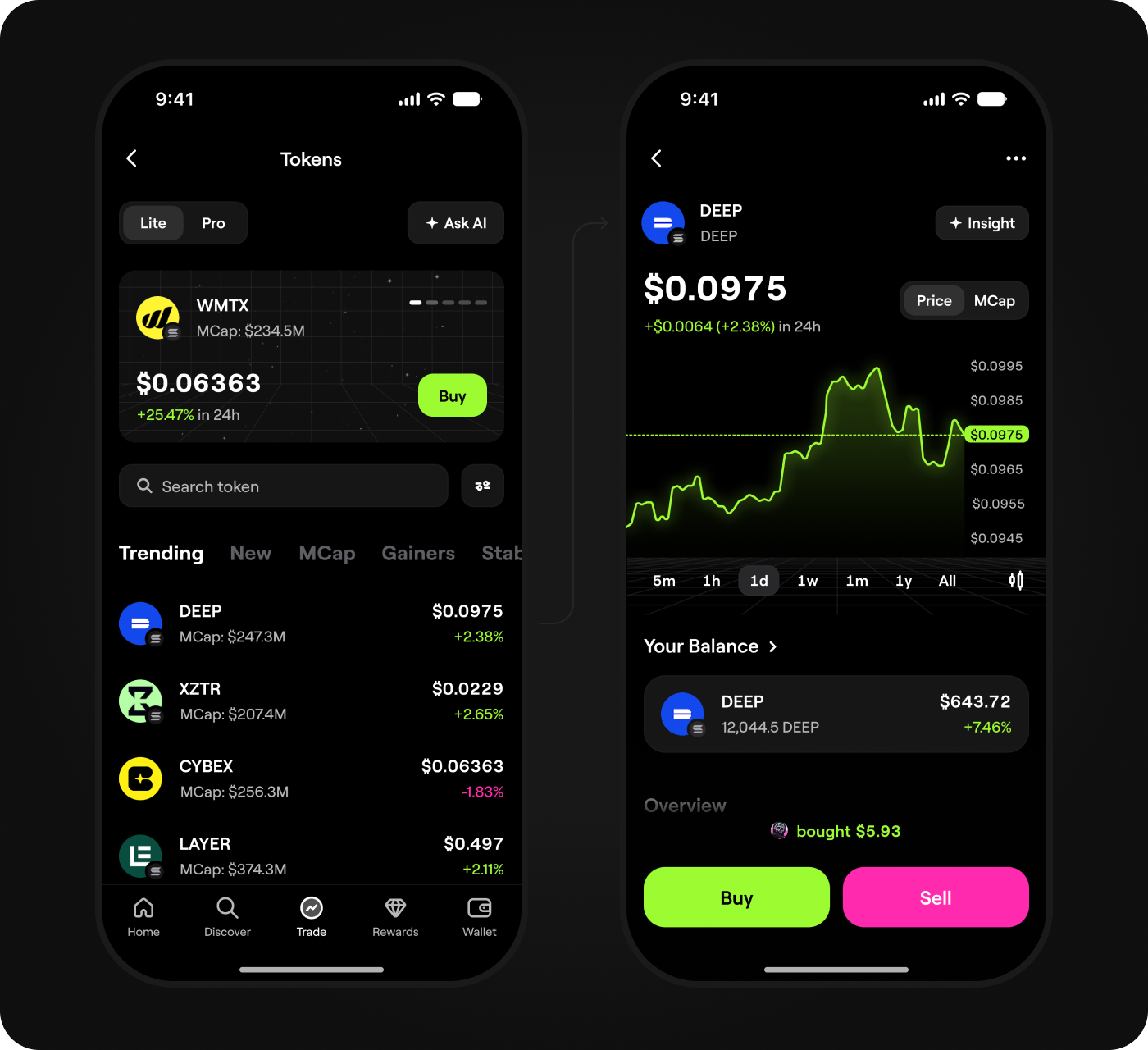
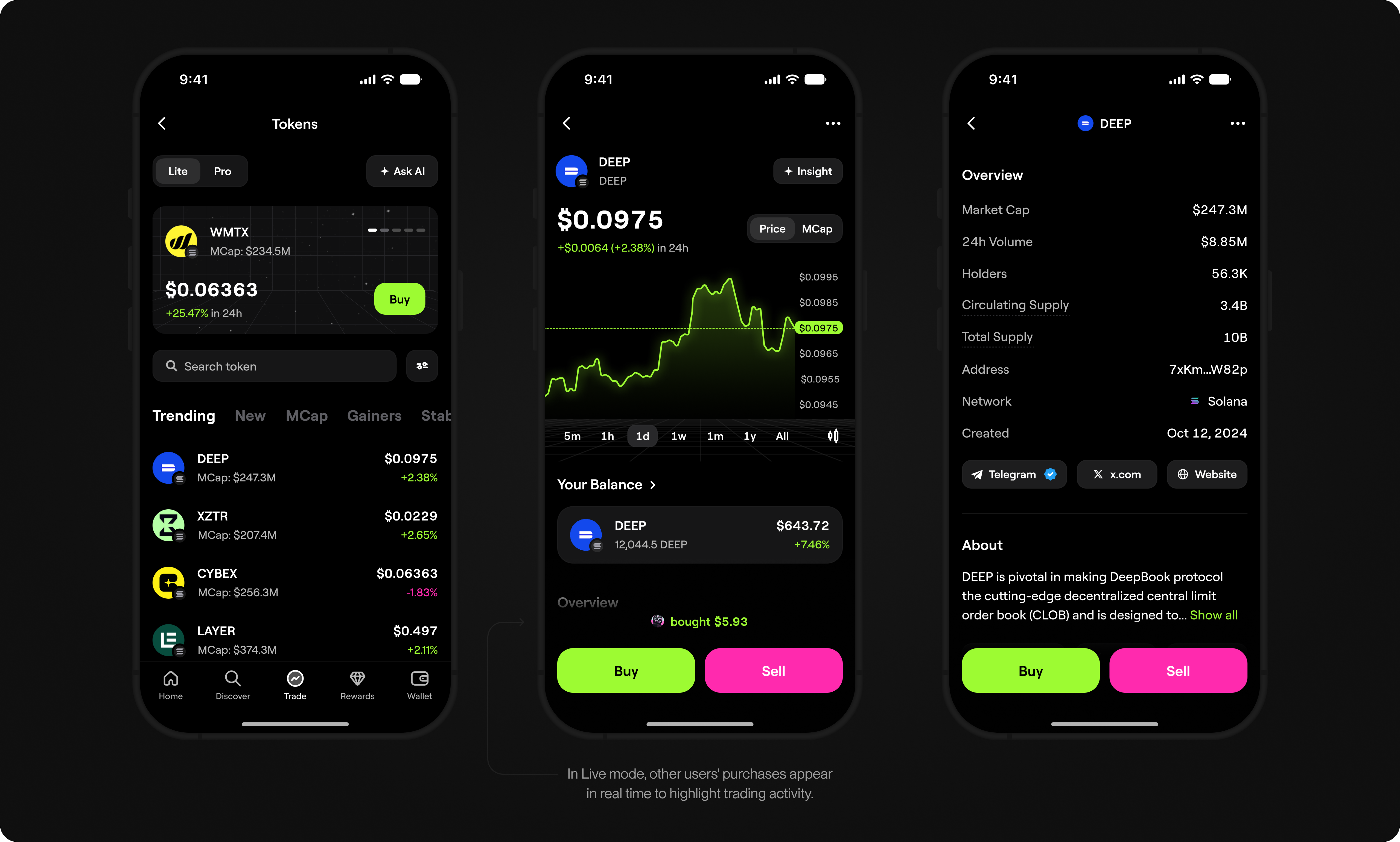
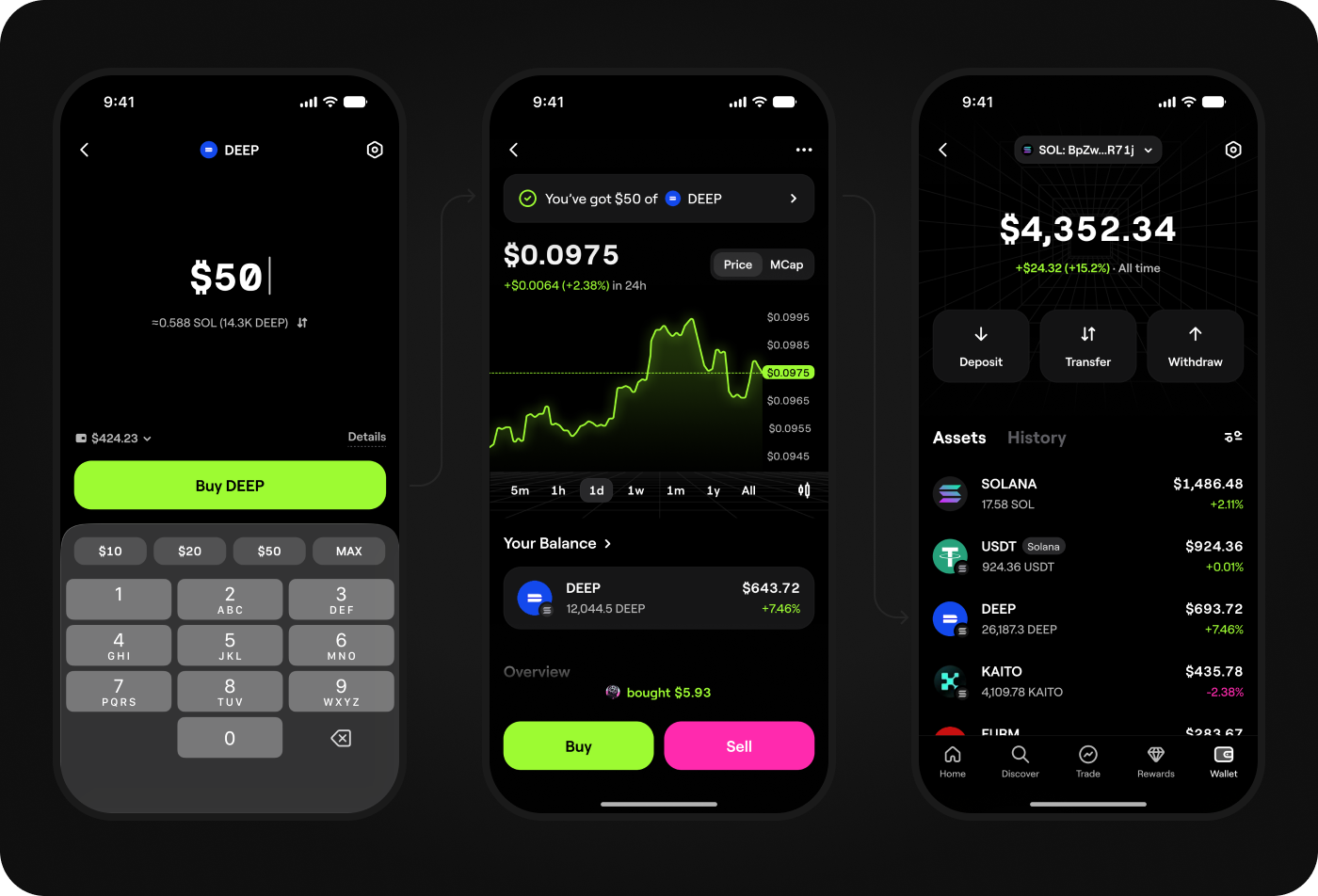
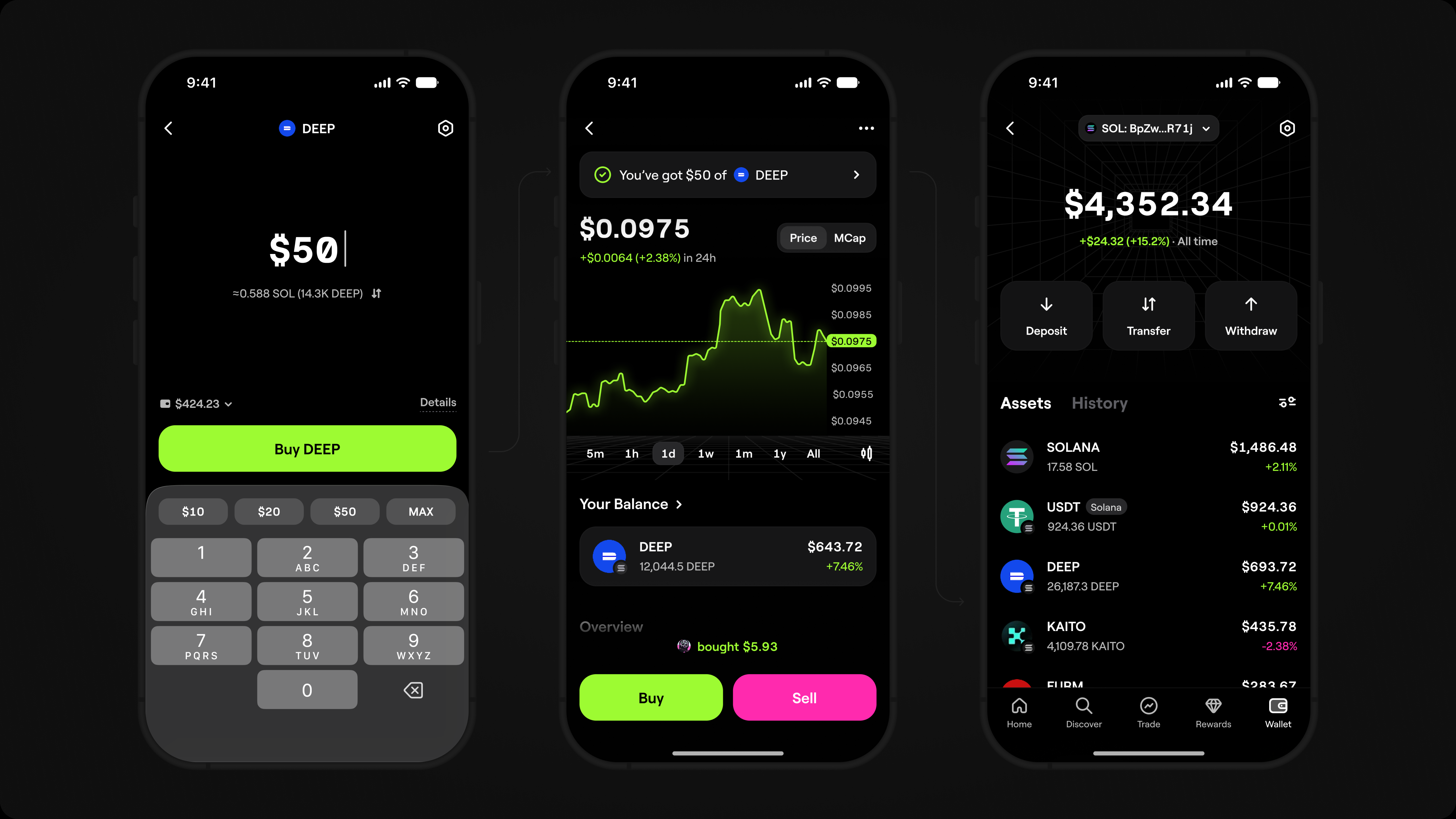
Lite Mode
Lite Mode is built for users who want to buy and sell tokens quickly without
diving into market data. It reduces cognitive load and shows only what's needed
to make a trade.
Pro Mode
Experienced traders came to the token page with a different need: they already knew
how to trade and needed to assess the market quickly. I brought the chart, order form,
open positions, and key token metrics into one workspace, so they could analyze the
market, make a decision, and act without losing context.
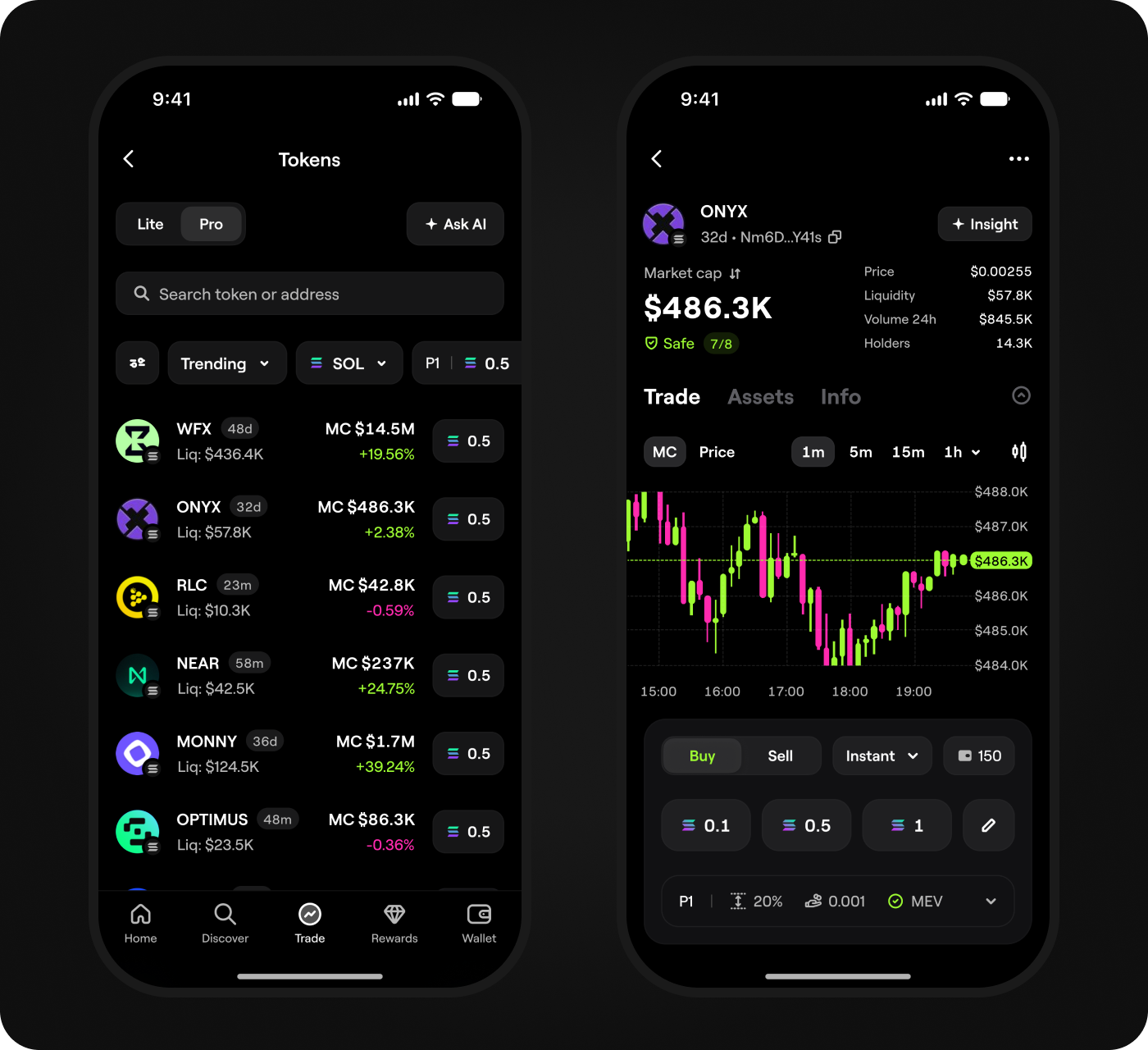
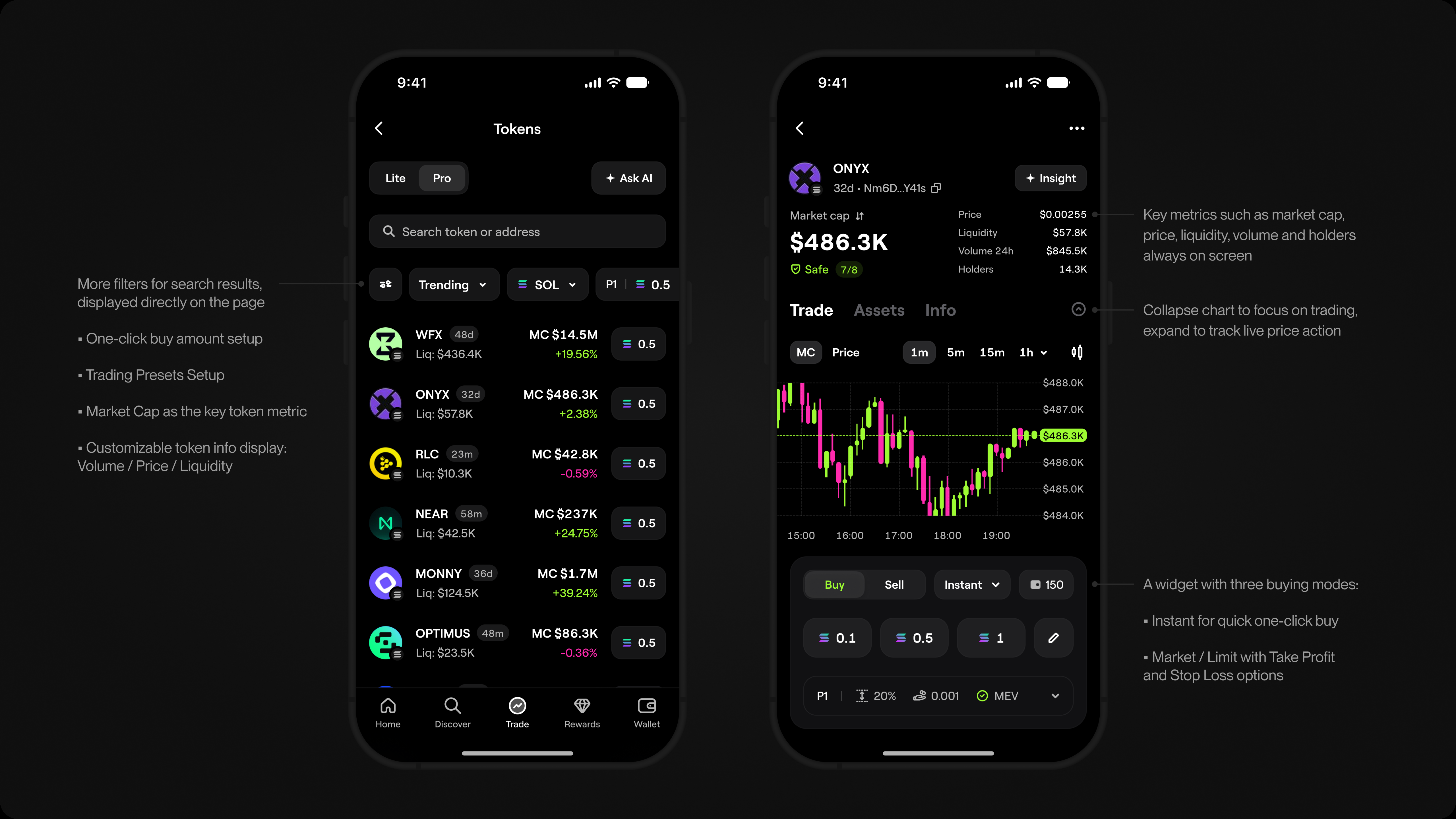
More filters for search results, displayed directly on the page: One-click buy amount setup, trading presets setup, key token metric. Customizable token info display: Volume / Price / Liquidity.
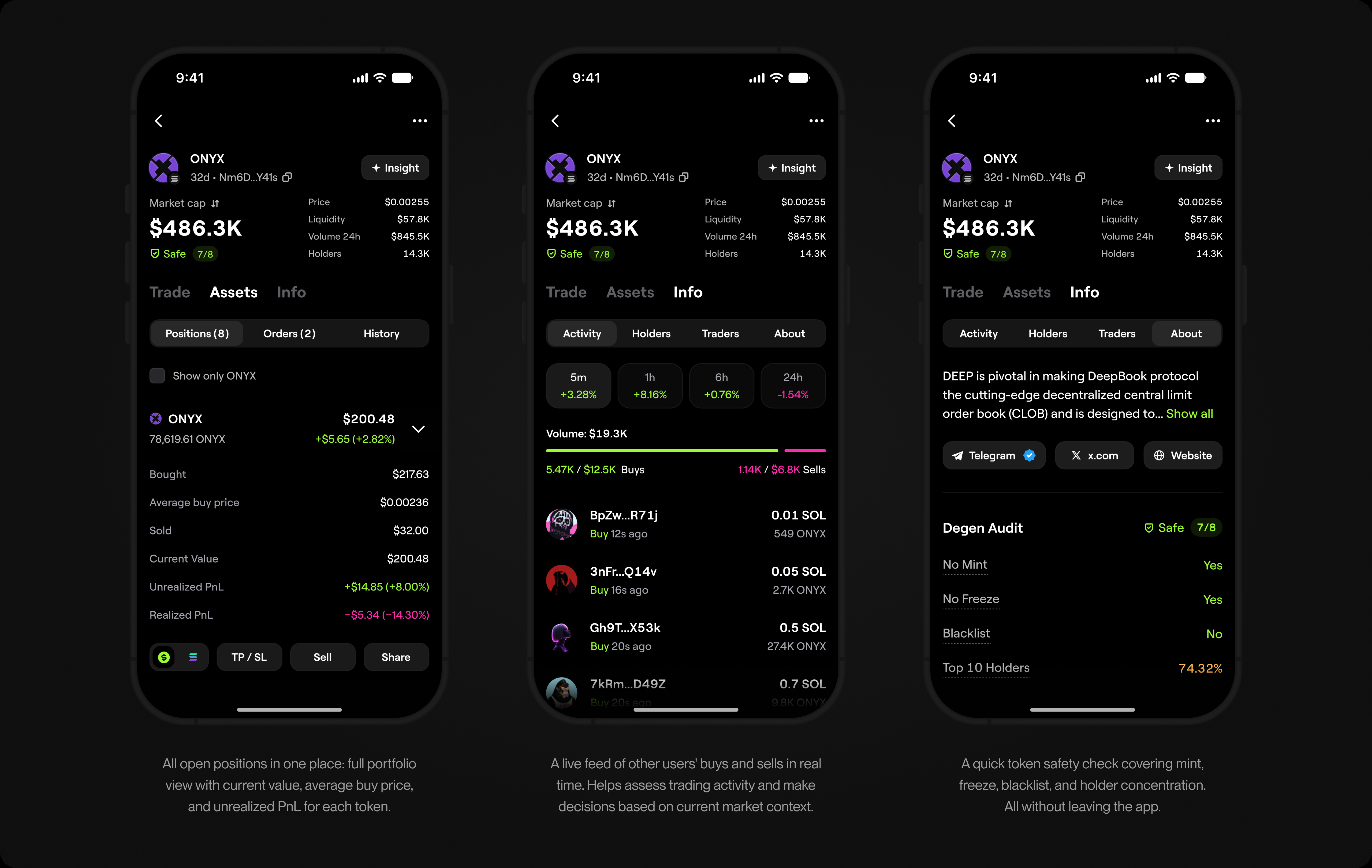
All open positions in one place: full portfolio view with current value, average buy price, and unrealized PnL for each token.
User testingUX Testing
Once the new flows were designed, I tested key trading scenarios with 7 users
new to trading and 5 experienced traders. Some sessions were one-on-one, while
in others users completed the same tasks independently. I then compared their
feedback and behavior with product metrics, focusing on three questions:
- 1 .Does Discover help users find relevant tokens and move directly into a trade?
- 2 .Does Lite Mode reduce complexity and help users new to trading trade with
only the information they need? - 3 .Does Pro Mode give experienced traders the market context, data, and control
they need to analyze tokens and execute trades?
UX Validation Results
1. Discover helped users
find tokens faster

Users found tokens to trade faster, and Discover no longer felt like
a static token list.
2. Lite Mode reduced friction
for users new to trading
Users new to trading completed buy and sell flows with fewer
questions and mistakes, while product metrics showed higher
trading activity in the simplified flow.
3. Pro Mode helped experienced
traders act faster
Keeping market context, key metrics, a chart, an order form, open
positions, and fast execution in one workspace helped traders analyze
tokens and place trades faster.
4. Ask AI was useful, but still
too high-level in early tests

Users liked describing what they wanted, but some results were
too generic or missed the intent. Ask AI needed sharper token signals
and clearer boundaries around financial recommendations.
Results
I designed and scaled Spot Trading, which became one of Blum’s key products and
helped move part of its tap-to-earn audience toward regular trading. Discover created
a clearer path from token discovery to trade, while Lite and Pro let users with different
levels of trading experience trade within one product.
5M+
Monthly active users
+14.2%
Conversion to first trade
+12.6%
Growth in average trade size
32.4% → 48.7%
7-day retention after first trade
Key Learning
One interface cannot be both simple and powerful when users approach trading
differently. The solution was not to remove complexity from the product, but to place
it where it helped: Lite gave users a clear path to trade, while Pro gave experienced
traders the context and control they needed.